Showing posts with label Assemblies. Show all posts

Wednesday, November 08, 2006

Cul-De-Sacs Fix in SP3

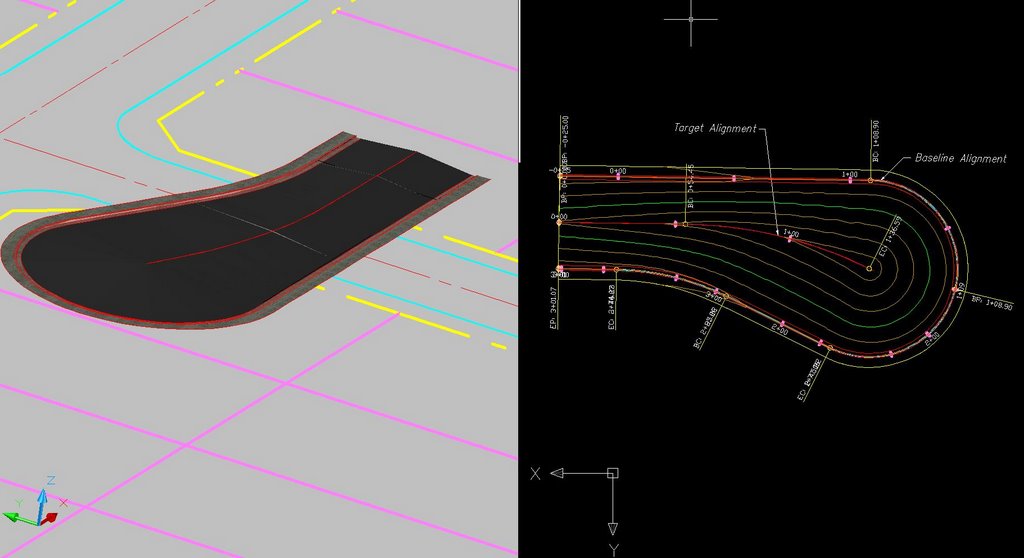
Dan Philbrick, Autodesk Civil 3D Software Development Manager, mentioned in his blog, in the Civil Engineering Community, that Service Pack 3 fixes an issue that has existed when trying to design cul-de-sac corridors with arcs in the centerline alignment.

If our baseline was run around the cul-de-sac bulb entirely as one alignment and had as its target an centerline alighnment with an arc, the assemblies would not solve correctly and leave a flat teardrop shaped gap in the middle of the corridor. This did not happen if the centerline alignment was a tangent (straight).

The necessary workaround was to create two alignments around the bulb of the cul-de-sac each targeting the centerline alignment with the arc.

With the fix provide by Service Pack 3 we no longer need to create the two alignments and can accomplish this goal with one alignment if we so choose.


I went back through the ...README.htm file to see if this was mentioned. I could not find any mention of it. Either way this is a very good thing.

Too bad my Autodesk University "Cul-de-Sacs Are Not a Dead End" class handouts were already submitted. Oh well, I will just have to mention that that was fixed.

Thursday, August 03, 2006

Civil 3D - SP2 Coming Soon

Service Pack 2 for Civil 3D 2007 will likely be available sometime next week. It should include Civil 3D 2K7 SP1A, and Map 2K7 SP1 & SP2.

Issues Resolved in Autodesk Civil 3D 2007 Service Pack 2

General

When closing the program, you no longer receive an error message after using the Object Property Manager.

Using the UNDO command after deleting or inserting an elevation point no longer causes the program to close unexpectedly.

Alignments

Version 2006 drawings that contain a Spiral Curve Spiral with the curve radius set to zero can now be migrated to version 2007 and the Spiral Curve Spiral is correctly displayed.

An issue with alignment station equations has been resolved and the station equation labels now display expected results.

Corridor

When pasting surfaces, dynamic corridor surfaces are filtered out of the selection set to avoid a situation dependency. You can create non-dynamically linked corridor surfaces to paste into an existing surface.

Using the DaylightStandard subassembly, you can create a corridor model with a horizontal slope limit and the material thickness will be applied to the horizontal links. Previously the material thickness was not applied to the horizontal links.

Changing a style of an exported corridor surface no longer causes the program to close unexpectedly.

When you specify corridor sections at Superelevation Critical Stations (from the Frequency To Apply Assemblies dialog box) the sections are now added.

Grading

Points and Elevations are now displayed accurately in the Elevation Editor.

There is improved performance using the Weed command on a feature line that was created from a polyline.

Using the Fillet command on feature lines no longer causes the program to close unexpectedly.

There is improved performance when using the Fit Curve command.

An issue with using Feature Line commands in multiple drawings has been resolved.

Using the Weed command now removes the expected points when using a weeding factor of 3D Distance. Previously not all the points that met the weeding factor were removed and all other points were removed.

Using the UNDO command after moving a grading object to a site no longer causes the program to close unexpectedly.

The maximum range for slope patterns is now displayed correctly. Previously, the slope pattern was displayed even though it was outside of the maximum range.

Elevation point z values are recognized when you add a PI to a feature line.

Entering the elevation difference on a new feature line no longer causes the Draw Feature Line command to end.

Creating a grading transition between mixed surface and elevation or distance targets no longer causes the program to close unexpectedly, however this will not result in creating a grading object because Civil 3D cannot find a valid solution for these conditions.

Labels

Using the Parcel Create by Slide Bearing command no longer causes the program to close unexpectedly when the parcel label styles contain custom expressions.

Duplicate entries are no longer created in parcel tables when you insert a new line.

Issues with parcel labels not erasing correctly have been resolved. The program no longer closes unexpectedly when using the erase command on multiple parcel labels. Labels are not redisplayed after using the erase command and then saving the drawing.

The direction arrow component type has been added to the general line label styles.

LandXML

Error messages are no longer displayed when you close a drawing after using the Export LandXML command.

When exporting multiple corridor models using the Export LandXML command the program no longer closes unexpectedly.

Parcels

The UNDO command produces expected results after using grip edits on parcels and no longer causes the program to close unexpectedly.

The UNDO command produces expected results after moving a parcel to another site and no longer causes the program to close unexpectedly.

An issue with converting a closed polyline to a parcel has been resolved.

Using grip edits on parcel lines displays expected results.

An issue with saving user defined properties in a .dwt file has been resolved.

There is improved performance when using the REGEN command for parcels.

Pipes

A set sump depth rule has been added. This rule is not added by default, but can be added to the structure rule set for use during junction structure creation (layout) or by changing all junction structure sump depths at once using the Apply Rules command.

In the Part Builder command, you can use Cyrillic and Asian characters in Catalog chapter names and part names.

When using the Change Flow Direction command, flow arrows are now displayed correctly.

Deleting structures no longer causes the program to close unexpectedly.

There is improved performance when opening version 2006 drawings that contain structure styles. The program no longer forces version 2006 drawings that contain structure styles to display the boundaries as solid.

There is improved performance when using pipe network references.

Points

An issue with editing Point Label Styles from the Point Panorama view has been resolved.

Points can no longer be selected in a viewport when they are on a layer that is frozen for that viewport.

Profiles

The correct information is now displayed in horizontal geometry bands for radius and curvature.

The pipe network band node in the profile view is now displayed in the first drawing you open. Previously, the first drawing you opened in a new session would be missing the node and you had to close and re-open the drawing.

Using the UNDO and REDO commands after deleting a sub-entity from the profile view no longer causes the program to close unexpectedly.

Performing station editing in multiple layout profiles no longer produces an error message.

Project Management

The Migrate Pre-Civil 3D Project command now creates the correct folder structure in the project.

Prospector

The program no longer closes unexpectedly when you close a drawing while the item previews are displayed in Prospector.

The Zoom To command zooms to the correct location after setting the UCS.

Surfaces

Contour smoothing no longer creates segments of zero length on closed contours. Previously the program would close unexpectedly when opening a drawing in which this occurred.

The Smooth Contours command no longer causes gaps in the contour display.

Issues with surface styles have been resolved. The program no longer closes unexpectedly when a surface is created that does not have an assigned style.

Surface labels display the correct values for Surface Slope Horizontal Distance.

The program no longer closes unexpectedly when using the Paste Surface command.

Creating Quick Profiles from a surface no longer causes the program to close unexpectedly.

An issue with the display of render masks has been resolved.

Survey

There is improved performance when importing field book files.

Using the Browse for Folder dialog box when specifying an equipment database path now returns the expected result and no longer causes the program to close.

The MCS survey figure command now starts the multipoint curve at the first point number following the command and ends correctly when other curve commands are processed.

An error message is now displayed stating that the file cannot be opened if you attempt to export a field book file to a network address where you do not have write access. The program no longer closes unexpectedly.

The Show Properties command for control points, non-control points, and directions now displays the properties in the item list view.

After inserting survey points into the drawing, using the Zoom To command from the Prospector shortcut menu for Points or Point Groups now returns correct results.

The program no longer closes unexpectedly when you attempt to close the Traverse Editor.

When using the Traverse Analysis command the Angle error now displays correctly for direction start and end traverse.

The Zoom To and Pan To commands on the Survey collection shortcut menus now return expected results.

The Browse To Observation command now returns expected results.

Changing values for the Interactive Graphics in the User Settings no longer closes the panorama view.

The Equipment Database item view list no longer closes when you right click on an Equipment item, in the list and select Make Current.

Editing Latitude and Longitude values for control points now returns the expected results for the Easting and Northing.

This Service Pack also includes resolution for the following AutoCAD issue:
An issue with slow performance has been improved when you open drawings that contain large numbers of blocks.
Wednesday, August 02, 2006

Tips & Tricks from the UK

Jack Strongitharm, Autodesk Civil 3D Technical Sales Manager (UK and Ireland), reminded me to look at the Tips and Tricks page on the Autodesk UK site.

There are several worthwhile entries on this page such as:

Using Dynamic Labels when designing an Alignment
Plain Text to Surface
Combine two terrain models
Analyzing terrian using styles
image draping on Autodesk Civil 3D Surface Onjects
General tips
Assembly Offsets
Work faster with models and files in Autodesk Civil 3D


Theses tips were created by Autodesk's Northern European team, which in addition to Jack, includes Ove Cervin and Chris Berends. Thanks for passing this along Jack.

Note: Flash player and/or Shockwave player may be needed to view certain tips.

Tuesday, August 01, 2006

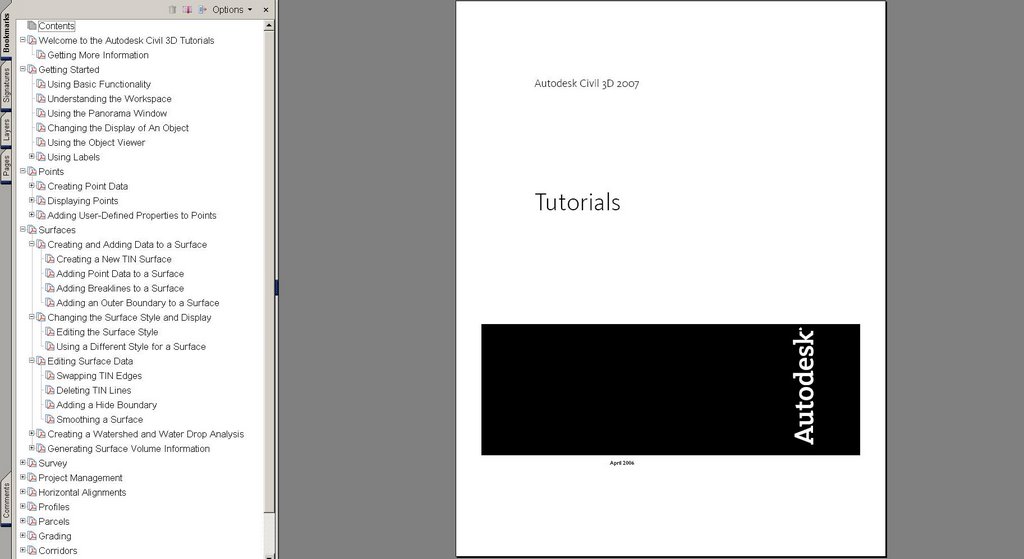
Civil 3D Tutorials PDF

This past Friday night, at around 10:00pm EDT, Anthony Govenanti, Autodesk ISD Technical Marketing Manager, posted in the Civil 3D discussion group the fact that the Civil 3D Tutorials are available in a PDF file.

From the "Help" menu > "Tutorials" we will find the link to the 244 page Civil 3D Tutorials PDF.


This got me thinking about two things. Firstly, how many other PDFs are available in the box? A quick search turned up the following 16 PDFs:

Civil_3D_GSG.pdf -- Getting Started Guide (150 Pages)

acad_nag.pdf -- Network Administrator's Guide (126 Pages)

acad_sig.pdf -- Stand-Alone Installation Guide (52 Pages)

acmaparxdev.pdf -- ObjectARX Developer's Guide (title page only)

ADMS_Implementaion_Guide_5.pdf -- Vault Implementation Guide (80 Pages)

adsk_nlg.pdf -- Network Licensing Guide (56 Pages)

adsk_slg.pdf -- Stand-Alone Licensing Guide (18 Pages)

best_practices.pdf -- Best Practices for Managing Geospatial Data (120 Pages)

3C3DStockSubassemblyHelp.pdf -- Subassembly Referece Guide (414 Pages)

civil_tut.pdf -- Civil 3D Tutorials (244 Pages)

civil_ug.pdf -- Civil 3D User's Guide (2716 Pages) This is no typo

FDG_FDODevGuide.pdf -- FDO Devloper's Guide (324 Pages)

FET_TheEssentialFDO.pdf -- The Essential FDO (56 Pages)

Managing_Your_Data_5.pdf -- Managing Your Data for Auodesk Civil 3D (38 Pages)

map2007_tutorials.pdf -- Map 3D Tutorials (76 Pages)

map_ug.pdf -- Map 3D User's Guide (1466 Pages) Yep, that's right


My second thought was... why is one of the Civil 3D world's biggest rockstars -someone with his own fan club- posting at that hour on a Friday night. Surely he could be hanging with his groupies or something.

We may never know. But something good came of it, and for that I thank him.

Saturday, April 15, 2006

Bootcamp Day Five - Three Homeruns

Thursday was my fifth and final day at bootcamp. It turned out to be my favorite one.

Why? Well, Autodesk hit three homeruns with me. One for each of the subjects that I covered that day.

HOMERUN #1
Pipes: The additions to pipes were excellent. New rules for both pipes and structures. Structure properties that include pipe inverts that can be edited. Rules can be reapplied at my choosing. Create a network from a pline. Create an alignment from a network. Import LDT pipe runs. Interference checking for collisions or clearance (COOL!). New grips in profile.

HOMERUN #2
Corridors: Lots here too. Many new spiral types. Constrained profiles (similar to horizontal alignments, Fixed, Floating, Free). Floating parabolic curves can now end a profile. Three new transparent commands (profile station from plan view, profile station and elevation from plan view, and profile station and elevation from plan view and point). Profile geometry point can now be labeled in plan views. Customizable markers replace hard-coded ones. Quick profiles, which can include the baseline geometry itself. Two new profile bands: Sectional data and Pipe Network data. Corridors regions can have styles (outlines). Graphical edit can be done. Individual sections can be edited. Corridor surfaces are true surfaces on Prospector tab. 16 new subassemblies. Two new tables: Total Volumes, Materials.

HOMERUN #3
General Drafting: We will now have a Toolbox tab to the Toolspace. This will include reports, but can include custom created tools. Text masking can be added to ALL labels, they can also have a draw order specified. There is now a NOTE label for any text item. We can label basic lines and curves. Reference text in labels can be created from any combination of object(s). Expressions allow us to due math computation with object data (EXCELLENT!!!). We will be able to copy label components. Drag-and-Drop styles will now prompt to Overwrite or Rename. And perhaps my favorite of all EDIT INDIVIDUAL LABEL TEXT VALUES.

It was a very useful and educational week. As you can see there is much to learn, absorb, and incorporate into our habits. That being said, I am sure glad to be home.

I'll be back soon with more detailed posts.

Wednesday, March 29, 2006

Anthony's Thoughts

Today, many resellers attended a webcast that described what will be available for us to refer to, and what is in the box (Civil 3D 2007), that can be used to learn, teach, and guide.

One segment of the webcast presented by Anthony Governanti, Technical Marketing Manager for Autodesk, was the "Wicked Cool Stuff" according to him.

The following is his list (in no particular order):

Text masking! Available in all labels!
Expressions – add calculations to any label
Reference text (that can use...)
---Alignments
---Profiles
---Parcels
---Surfaces
General Note (object)
Quick Profile
DWF Preview for Project Data
Grading Feature Line tools (3D polyline tools and more)
Grading that works!
---Inside corner cleanup
---Projection to surface
Graphical Corridor Editing
New Subassemblies
---Retaining walls
---Channels
---Pipe trench
---Many more
New templates
---National CAD Standards (NCS) based
---Extended to include Civil 3D specific objects
---Includes styles to replicate LDT output
Too much to list!

Although, much of this information has been discussed here and elsewhere, it was certainly very useful for me to see Anthony's highlight reel.


PS. I want to thank Anthony for his OK to use his list.

Wednesday, March 15, 2006

Civil 3D 2007 Preview - Subassemblies


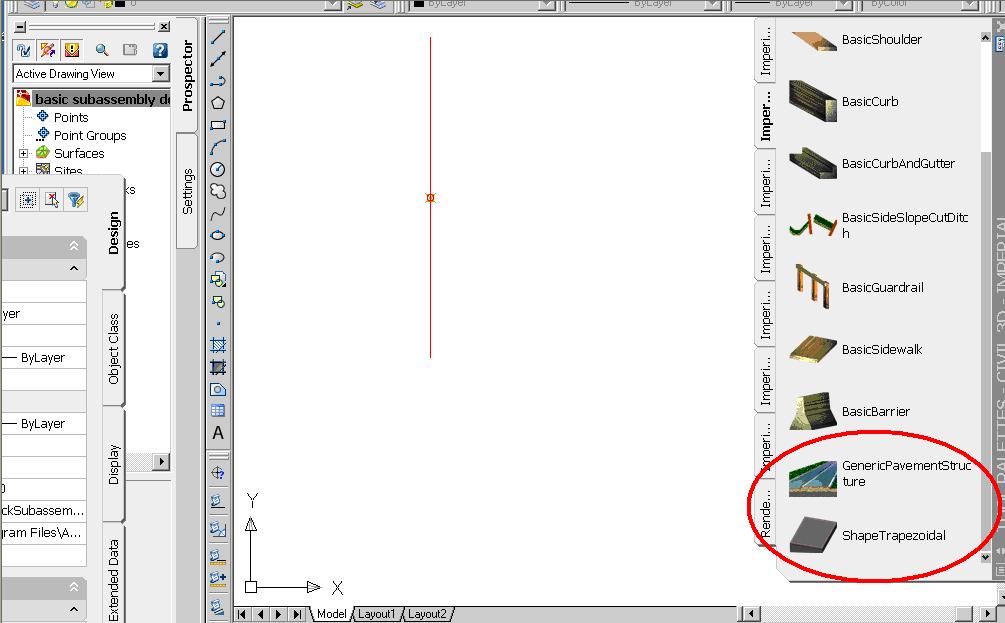
Last Friday, during the Civil 3D webcast about "Subassemblies Basics" Dave Simeone also briefly discussed some new subassemblies that Autodesk was working on (2007?).

He mentiond "GenericPavementSructure" but also visible on his tool palette was "ShapeTrapezoidal".

What else can one expect? No guarantees, but there should be just under 90 subassemblies in 2007. There are currently 71 in 2006.

Wednesday, March 01, 2006

Civil 3D 2007


As Autodesk introduces the NEW family of 2007 products (shipping in the next month or two) there will be lots to talk about. Here we will focus of course on Civil 3D 2007. What will be there? What will not? I will mention a few general topics today with detailed posts in the near future.

Lets begin.

One of the most obvious additions to Civil 3D is the entirely new Survey functionality and the survey observation object.

The Project environment will now be managed by the core data management capabilities of Autodesk Vault. It will allow for the sharing of:

Points
Surfaces
Alignments
Profiles
Pipe Networks (NEW)
Survey Data (NEW)

Corridors will create named surfaces directly. We will no longer have to export non-associated surfaces. We will also be able to select an existing polyline as a corridor boundary (cool). There will be new subassemblies.

Profiles will now be element-based (free, floating, fixed). This allows for similar constraints as horizontal alignments.

Grading Feature Lines will be controlled by a new set of tools which include the ability, similar to LDt, to create offsets with elevational differences.

Quick sections will be able to be created from AutoCAD objects.

We will be able to create a Pipe Network from a polyline and create an alignment from an existing pipe network. Pipe interference detection will be possible.

Styles management will include the ability to Merge, Copy, or Rename any duplicates found during drag-and-drop operations.

Labels will be able to contain data from various object types in our models. We will be able to include expressions (formulas) in a label style. The labeling of lines, arcs and polylines with style based labels will be possible. I am confident that many will appreciate that masks will be able to be added to labels to hide object behind the label.

We will be able to reset a Point's elevations based on an existing surface. Changing an individual point's rotation angle graphically will be possible.

LandXML 1.1 support for survey and corridor data will help matters.

These are just a few of the enhancements that caught my eye. These plus those found in AutoCAD 2007 and Map 3D 2007 (because Civil 3D is built on top of these products) will give us lots benefit from.

OK, that is enough for now. As I said, I hope to add comments and details in the coming days, and weeks, as time permits.

Friday, January 27, 2006

Subassembly from Polyline - Enhanced


Creating a Subassembly from a polyline (CREATESUBFROMPLINE command) absolutely gives us a tremendous amount of flexibility to create any type of shape that we may wish to include in a corridor.

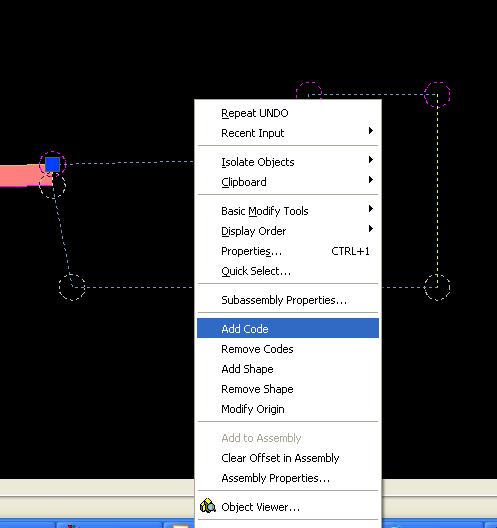
We can further enhance the Subassembly by adding CODES to the points, links, and shapes that make up the newly define Subassembly. This would give us the ability to define the TOP or DATUM links. We cound define points which would then connect with feature lines.

Simply Right-Click on the Subassembly that you create from a polyline and select "Add Code".

Tuesday, January 24, 2006

AU 2005 Top 12 Civil Track Classes


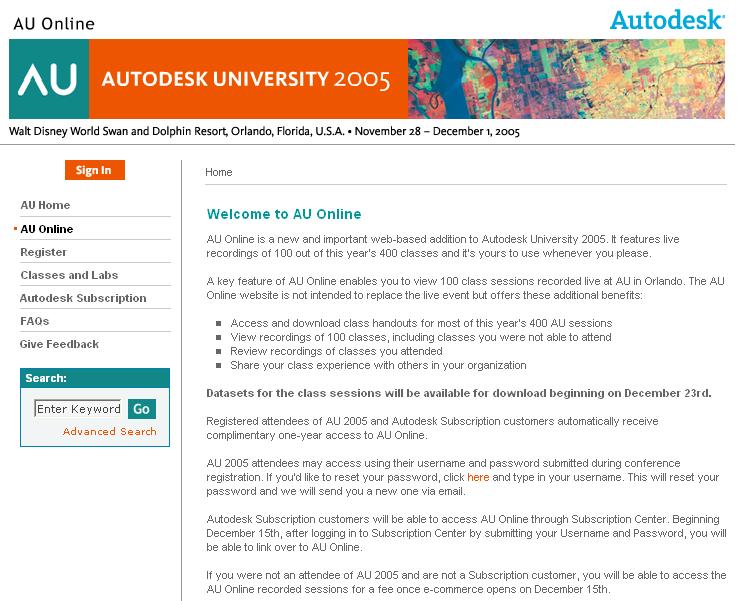
I just received info regarding the civil track classes at AU 2005 that had the most registrants.

If you are using AU Online (click title of this post above to connect) and want to see the classes that seemed to have a fair amount of interest you may find this list useful.

I am sure that prespective AU 2006 speakers will find this list of interest as well.


And the TOP 12 are:


Autodesk University 2005
Civil Engineering

CV32-2 Essentials of Site Grading with Autodesk® Civil 3D®
CV33-1 Advanced Site Grading with Autodesk® Civil 3D®
CV14-2 Autodesk® Civil 3D® Pipes: Storm Sewer Layout & Design
CV31-2 Autodesk® Civil 3D® Pipes Workshop
CV21-2 Essentials of Road Design with Autodesk® Civil 3D® 2006
CV13-3 Best of Both Worlds: Autodesk® Land Desktop and Autodesk® Civil 3D®
CV22-2 Autodesk® Civil 3D® Corridors: Cul-de-Sacs Are Not a Dead End
CV21-3 Think Outside the Contour: Grading in 3D
CV15-2 Essentials of Points and User-Defined Properties in Autodesk® Civil 3D®
CV41-4 Top 10 Autodesk® Land Desktop Tips and Tricks
CV35-3 Programming Corridor Assemblies in Autodesk® Civil 3D®
CV34-4 Amazing Grade - How Sweet the Ground

My class CV22-2 in turns out was the 7th most highly attended class out of the 41 classes in the Civil Track. As a first-timer, I am greatful for the experience.

Friday, September 16, 2005

Name the Parts


When creating Assemblies it is a good habit to get into to name the Subassemblies components. This will eliminate confusion when it is time to "Set Logical Names".

To name a Subassembly you can...

1. Select (highlight) the Subassembly component within an Assembly and modify the "Name" field in the Properties Palette.

or you can...

2. Select the Assembly (the centerline) Right-click and select "Assembly Properties" from the Short-cut menu. In the "Assembly Properties" dialog box select the "Construction" tab. In the Item window Right-click on an item, select "Rename" and give the item a more definitive name (see image). Repeat for every item.

Trust me when I say this will help you a great deal later.

Thursday, July 21, 2005

Updated Civil 3D Help Documentation


Autodesk has made available updated Help documentation for Pipe Networks and Subassemblies. These files include a series of minor corrections and minor enhancements to the documentation.

The Pipe Network section has new information on how to edit pipe family sizes.

The Subassemblies portion now also updates the .PDF found in Help that describes the stock subassemblies. If you are curious it is 306 pages long. It is also very useful.

Monday, July 11, 2005

Back to Basics - Part I (Objects)

Civil 3D 2006 creates 26 OBJECTS. They are the following:

Alignment
Alignment Table
Assembly
Corridor
Corridor Section
Feature Line
Grading
Grid Surface
Parcel
Parcel Segment
Parcel Table
Pipe
Pipe Network Section
Pipe and/or Structure Profile
Point Group
Point Table
Profile
Profile View
Sample Line
Section
Section View
Sheet
Structure
Subassembly
Surface Legend Table
Tin Surface

Friday, April 15, 2005

Day 4

Today was the final day with Autodesk. We covered the improvements to assemblies, corridors, and sections, among other things. Here are a couple of QUICK points:

We can now toggle different regions ON and OFF within a corridor (this should speed things along).

In sections we can now edit individual sections or ranges of sections. This was excellent!

We can now create labels that apply to sections automatically. This is a BIG time saver.

Imagine placing Corridor Feature lines in profiles. It is now possible.

With these things and many more we will have tons to learn and take advantage of in the coming months.

Tuesday, March 22, 2005

Styles Galore

I just did a tally of the styles in Autodesk Civil 3D 2006. I now counted a total of 83 styles. This is up from the 76 I counted in the 2005 version of the software.

The seven new styles are three Code Label Styles (Marker, Link, and Shape) and four that pertain to pipes and structures. They are Pipes Styles, Pipe Label Styles, Structure Styles and Structure Label Styles.

The first three new styles allow us to now control the display characteristics of Markers, Links, and Shapes in a Code Set. Then we can apply the Code Set to Subassemblies, Assemblies, Corridors, and Section Views.

The other four control the appearance of Pipes and their Labels, and Structures and their Labels.

Monday, February 07, 2005

Cause and Effect

When you edit this object type...These objects are updated...

Points--------------------------------Surfaces
Surfaces-----------------------------Grading, Profiles
Parcels-------------------------------Grading, Corridor
Alignments--------------------------Grading, Corridor, Profiles, Sections
Grading------------------------------Surfaces, Corridor
Subassembly------------------------Assembly, Corridor
Assembly----------------------------Corridor

Monday, January 17, 2005

SP1 & Subassemblies

One of the nice changes that you get when you install Service Pack 1 for Civil 3D 2005 is that several Subassemblies get updated and now have a new capability.

Specifically, LaneBrokenBack, LaneInsideSuper, LaneOutsideSuper, LaneTowardCrown: Added a runtime logical assignment that allows the user to tie the elevation of the outside edge-of-lane to a profile.

Occasionally, I found that I wanted to use the old versions but without the ability to attach them to a profile they had slightly limited use.

The issues resolved were good to have. But, this was a nice little surprise.

By the way, I had no problem installing the Service Pack.

Monday, November 22, 2004

Subassemblies Part IV

I had mentioned before that Subassemblies can be thought of as Lego pieces that can be snapped together in order to create an Assembly. If I remove an interior segment of an Assembly all of the segments outside of that one, snap inwardly to fill the void left by the removed segment. This makes working with Subassemblies and Assemblies very easy, and forgiving.

Perhaps a more interesting fact is that Assemblies can exist in drawings for the intention of inserting the drawing and having the Assemblies ready for use.

Friday, November 19, 2004

Subassemblies Part III

Although there are many different Subassemblies Catalogs that ship with Civil 3D, the "Generic Subassembly Catalog" provides some of the more intriguing segments.

These segments can be used to create a wide assortment of custom links and shapes that are not provided "in the box". Links like "LinkOffsetAndElevation" which is described as a general purpose link, that can be tied to an alignment and a profile, give tremendous flexibility in addressing challenging design issues.

There are 11 different generic segments which should be able to address most needs.

Thursday, November 18, 2004

Subassemblies Part II

One of the more interesting facts about Subassemblies is that the Properties Palette is used to set the different values for the subassemblies. Items such as the roadway width, pavement depth, sidewalk width, and grading slopes are all set via the Properties Palette.

If the user must adjust the Subassembly that is used in an Assembly they simply pick on the component withing the Assembly and change the values in the Properties Palette.

Because of the dynamic nature of Civil 3D such changes can immediately update the Assembly and the Corridors that the Assembly is used in.